Direction B · Hold
Geist Mono 800 · Lime on Ink
Hover the mark: the brackets tighten.
the idea
The logo is the name held between two steel corner braces. A corner brace is the bracket a joiner screws into a frame to keep two pieces square. That's the job Brace does for a business: we build the systems that hold it together, so the owner doesn't have to.
The same two corners are a camera's focus frame and a pair of code brackets. So the mark says three true things at once: it holds, it focuses, and it's built. In motion the brackets hunt like a lens finding focus, lock onto the name with a hard click, and the name types itself in.
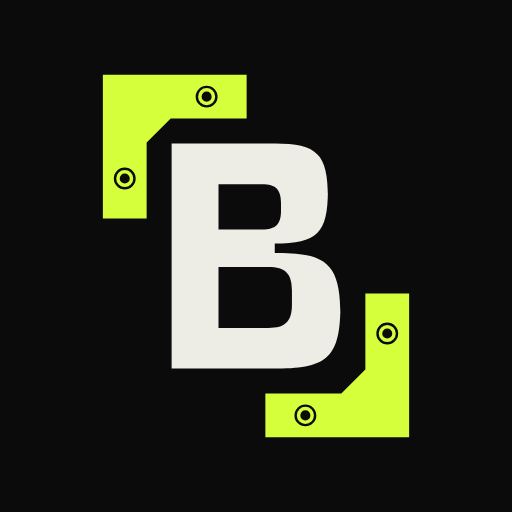
Where there's only room for a square, the same braces hold a B: that's the symbol, for the app icon, avatars and the favicon. The braces work on their own too. They frame a word, a photo, a button or the whole screen, so the logo becomes part of the interface instead of a badge in the corner.
lockups
The main lockup is the name in its own braces. The braced B is the symbol, used where only a square fits. The two never sit side by side, so the B is never said twice.
scaling
The symbol changes on purpose with size. Small, it's drawn on whole pixels. Large, the steel shows its hardware. The main lockup follows the same rule: hardware on its braces once it's drawn taller than 128px.
 ×8, pixelated
Two 2px brackets and a B drawn on a 6 by 8 grid. 2px stems, 1px bars, one missing pixel for each curve and a notch at the waist. Every edge lands on a whole pixel.
Brackets go to 3px, the B to 10 by 14. 3px strokes, cut corners, and a lower bowl one pixel wider than the top, as in the full drawing.
 ×4, pixelated
The pixel B gets 45° cuts for its curves. The gap to the brackets opens from 1px to exactly 2px.
The drawn B with its squared-off curves. Brackets are plain steel, no holes.
Same drawing. The waist notch and the counters' rounded corners start to read.
Hardware comes in above 128px. Each brace gets two countersunk screw holes and a chamfered inner corner, like a real steel angle brace.
The full steel brace. Used where the mark is the whole picture: the load screen, a shopfront, a slide.
motion
Autofocus. The brackets hunt, lock onto the name's frame with a hard click, and the name types itself out.
storyboard
- 0.00–0.32sThe brackets fade in wide apart, in Steel, around a Lime cursor that's out of focus. They rush in.
- 0.32–0.80sThey hunt: two small overshoots out and in, and the cursor sharpens and softens with them, like a lens.
- 0.80–0.95sLock. They snap shut on the frame for the name, overshoot by 2.5 units, stop dead and turn Lime. The cursor is sharp.
- 1.13–1.52sThe cursor, the full height of the b, blinks twice where the name will go.
- 1.60–1.93s“brace” types itself out, one letter per keystroke, a little uneven like a hand on keys. The cursor goes with the last letter.
- Hover, 0.26sThe brackets tighten by 3 units with a small spring, and ease back when you leave.
- Load, 3.95sThe braces lock onto the B symbol at the centre (0.95s), hold while loading, fly to the corners of the screen (0.65s) as the B and the black fade, frame the page for 1.5s, then fade.
The load screen plays over this page, then the brackets become its frame.
in use
Email, the website header, avatars and icons, and the framing system that only this direction has.
email signature
The logo is a PNG at 2x, because mail clients don't show SVG. It sits on its own Ink plate, so it reads in light and dark mail.
Hi both,
Thanks for the time on Friday. I've put the notes in the shared folder. Shall we pick up the next steps on Monday at 10?
Joe
joe@domain to confirm
Monday at 10 works. I'll bring the list.
Joey
joey@domain to confirm
website header
Desktop at 1280px and a 390px phone, both with the main lockup. The logo's own brace takes the top-left corner and a matching one sits bottom-right, so the page is held in the same frame.
Human-led. Time back. Less admin.
Stores, websites, automations and the reporting behind them, looked after by people.
Human-led. Time back. Less admin.
Stores, websites, automations and the reporting behind them, looked after by people.
avatar and app icon
Circle crop for social, rounded square for apps. The app icon PNG is exported at 512px with the hardware detail.
the framing system
The braces lift off the logo and frame things at any size. This is how the brand shows up across a site without the logo repeating everywhere.
We build the systems that hold a business together, so the owner doesn't have to.
store care
Photo · product, 4:5
The brackets snap on from 9px out.
system
Four colours. Lime is a signal, not a fill: it marks the brackets, focus and the one action that matters.
Ground. Near-black, a touch warm.
Brackets, focus, primary action.
Secondary text on Ink. The brackets before they lock.
The B, body text, light grounds.
| Sample | Pair | Ratio | WCAG 2.2 | Where it's used |
|---|---|---|---|---|
| Aa | Bone on Ink | 16.73:1 | AAA | Body text, headings, the B |
| Aa | Steel on Ink | 6.05:1 | AA | Secondary text and labels on dark |
| Aa | Lime on Ink | 17.02:1 | AAA | Brackets, focus rings, link text |
| Aa | Ink on Lime | 17.02:1 | AAA | Buttons and the reversed lockup |
| Aa | Ink on Bone | 16.73:1 | AAA | Text and the mark on light tiles |
| Aa | Steel on Bone | 2.76:1 | Fails | Not used for text (fails) |
| Aa | Lime on Bone | 1.02:1 | Fails | Never used (fails) |
| Aa | Mail text #1F2328 on White | 15.80:1 | AAA | Mail client frame |
| Aa | Mail grey #59606A on White | 6.35:1 | AA | Mail client frame, secondary |
38–96px, tracking −0.045em, lower case.
12–14px for labels, tracking +0.02em.
17–20px, line height 1.6, up to 60 characters a line.
notes
What works, what to watch, and what's left.
scales well
- The brackets work at every size, from 2px lines in a favicon to the corners of a screen.
- The favicon is a real B drawn on whole pixels, so the 16px mark and the app icon are the same mark.
- The framing system gives the site, decks and social a look without repeating the logo.
the risk
- Corner brackets are a common motif in tech brands and camera apps. The drawn B and the hardware are what make it ours, so they must never be dropped from the main mark.
- Lime on black is a current trend colour. It may date in a few years, and Lime fails on light grounds (1.02:1 on Bone), so every light use goes to Ink.
- Monospace type is wide: the wordmark needs more width than the others at the same height.
to finalise
- A UKIPO trade mark search on the name and the mark.
- Confirm the domain for the email signatures.
- Hand-hint the 16px and 32px versions against real browser tabs on Windows and macOS.
- Print test the hardware detail at business-card size and on a sign.